
Lead Inbox
The first row is your next ten minutes.
Every call and WhatsApp enquiry lands as a lead, with a summary, a score and what you owe them next. Ultraphone ranks them, so you stop scrolling and start calling.
3 BHK in Powai, ready to visit this week
6 split ACs for the new office
Asked for the price with installation
Comparing two quotes, decides Friday
Ranked by closest to close
Example data.
Your leads on the left. The one that matters on the right.
Open a lead and the list stays put, like WhatsApp Web. Its score, value, what you owe them and every conversation are on one screen.
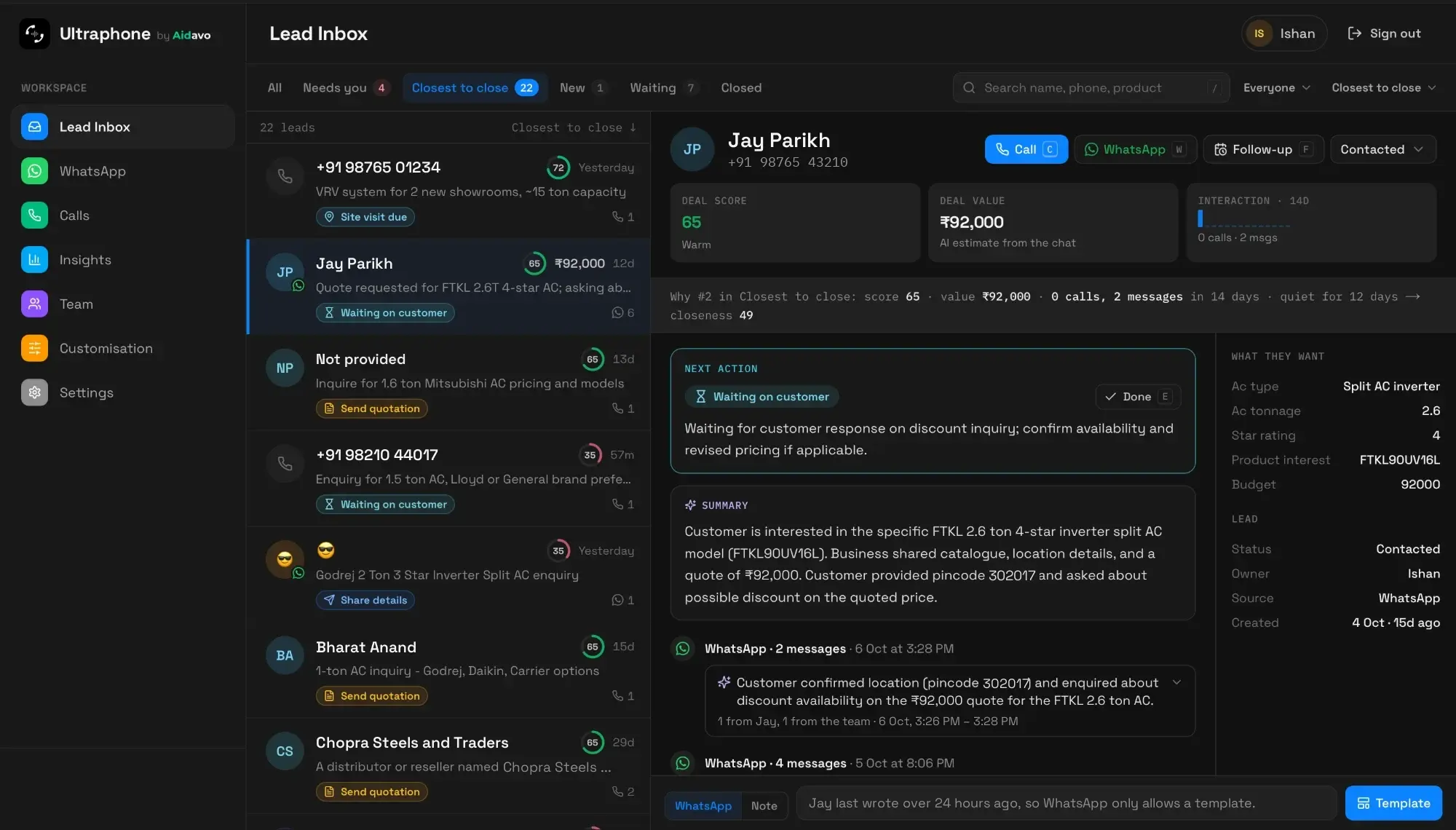
The real product. Customer names and numbers changed.
Ranking
A rank you can check, not a black box.
Closest to close blends the AI's score, the deal value and how much you've been talking lately. Then it fades leads that have gone quiet, so last month's hot lead doesn't sit above today's.
Example lead. Hover the score in the inbox to see any lead's real numbers.
Views
Six views, each answering one question.
Open Ultraphone and pick what you're here to do. Each view shows a live count, and invalid leads like wrong numbers and spam stay out of your way.
All
Every lead, grouped under Today, Yesterday and the date.
Needs you
New leads, unread WhatsApp, and follow-ups due today or overdue.
Closest to close
Qualified leads, and leads where the AI heard a specific requirement.
New
Leads you haven't opened yet, marked like unread mail.
Waiting
The next step is on the customer, so they're out of your way.
Closed
Won and lost, kept apart from the work in front of you.
One customer, one lead
However they reach you, it's the same lead.
Calls and WhatsApp match on the phone number's last ten digits. A customer who messages on Tuesday and rings on Thursday is one lead with one history, not two half-stories.
+91 98•• ••43 21
One lead · 3 touches
Example data.
What they want
They talk. The lead fills itself in.
Ultraphone listens for what matters in your trade and writes it down, in Hindi, English or Hinglish. Budget, area, timeline and product land on the lead, and a chat that goes quiet is read the same way as a call.
Customer · on the call
HSR Layout mein 2BHK rental hai? Budget 35 hazaar tak, Diwali se pehle shift karna hai.
What they want
Example data.
Follow-ups
Overdue shows in red. Rescheduling takes a key.
A follow-up replaces the time on the lead's card: red when it's overdue, amber when it's due today. Press F and pick a time. Mark the next action done with E, and it's off your plate.
Press F, pick a time
Example data.
Keyboard
Work through twenty leads without touching the mouse.
J and K move between leads, and the open lead follows. Call, WhatsApp, follow-up, done, deal value, status: each has its own key, and pressing ? lists them all.
Next lead
Search
Find them by whatever you remember.
A name, any part of the number, the area, the product, or something they said. Press / and start typing, and the list narrows as you go.
Anjali Mehta
3 BHK in Powai, ready to visit · +91 98765 43210
Vikram Singhania
VRV for two new showrooms · +91 98290 55102
Neha Agarwal
Interiors for a Powai flat · +91 98210 44017
Rakesh Kumar
VRV quote, decides Friday · +91 90040 77120
Example data.
Your team
See what's new to you, and whose it is.
A blue dot marks leads you haven't opened, like unread mail. Members start on their own leads, owners and admins on everyone's, and the first teammate to reply on WhatsApp owns an unassigned lead.
Priya Nair
Unassigned
Vikram Singhania
Kabir
Anjali Mehta
You
Example data.
On your phone
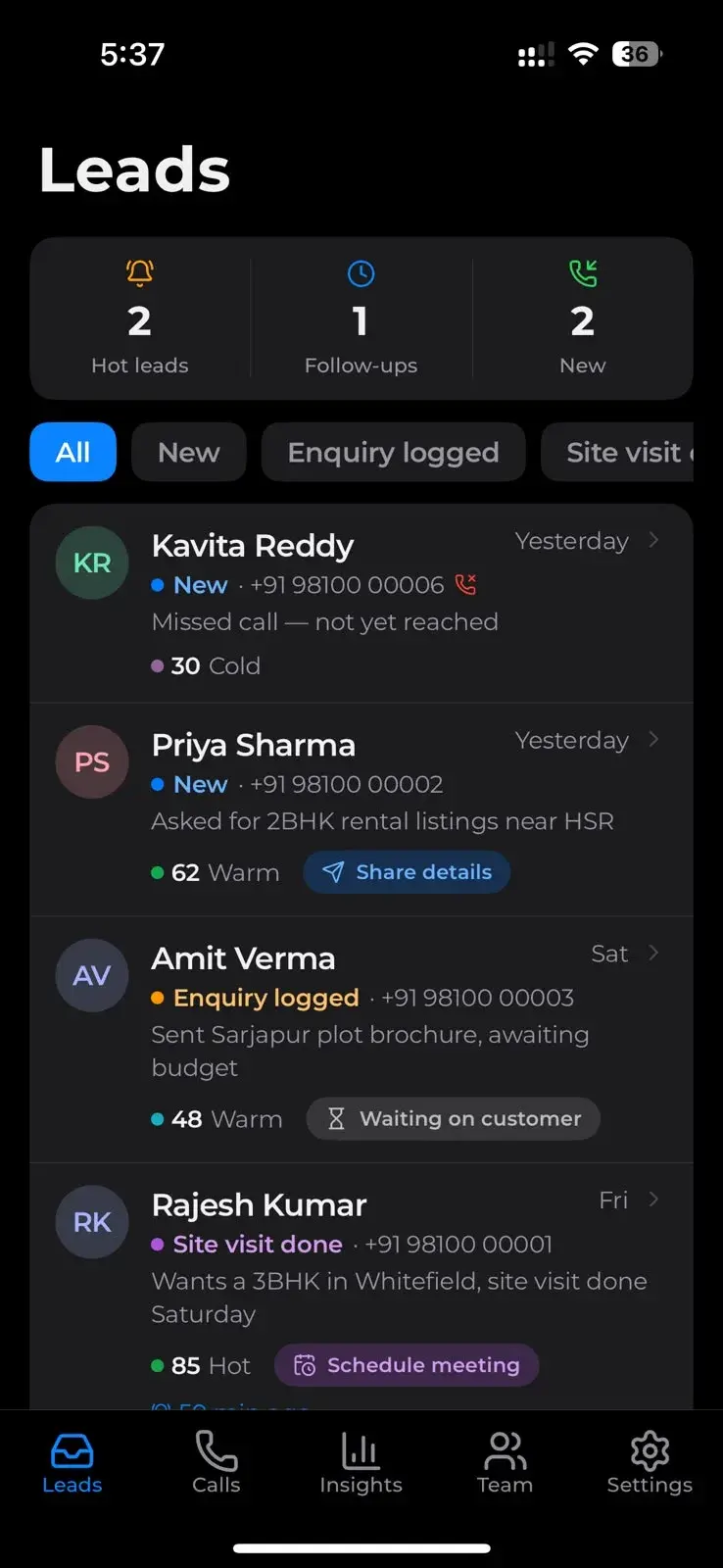
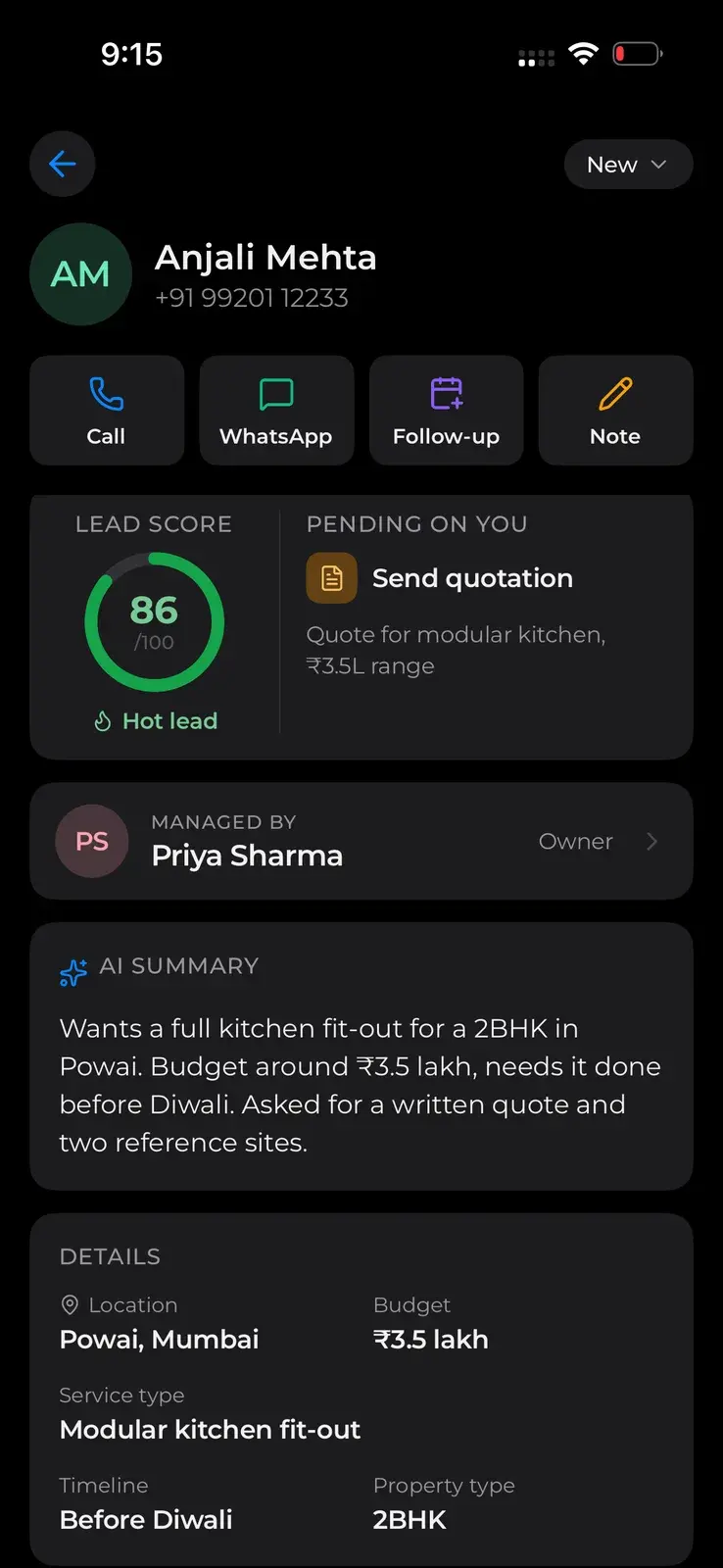
The same inbox, between site visits.
The Android app has the same views, ranking and search. Open a lead and it fills the screen, with the score, next action and one-tap call back from your business number.
More in Ultraphone

Keep your phone habits. Stop losing leads.
Set up in minutes. Free trial, no card, cancel anytime.