Call Routing for Small Businesses: How to Make Sure Someone Always Answers
Most missed business calls aren't missed because nobody was free. They're missed because the call only rang one phone. Here's how to route calls so the right person — or the next person — always picks up.
Co-Founder, Aidavo
Here is how most small businesses handle incoming calls: the number rings one phone. If that person answers, great. If they're on another call, driving, at lunch or in a meeting, the customer hears it ring out — and usually calls the next business on their list instead of trying again.
Call routing is the fix, and it doesn't need an IVR menu or a call centre. It just needs a rule for who rings, in what order, and for how long. This post walks through the three common setups, which one suits which kind of team, and how to configure it in Ultraphone in about a minute.
What is call routing?
Call routing decides where an incoming call goes. For a small business that usually means a ring group — a set of teammates whose phones ring when the business number is dialled — plus a rule for what happens when nobody picks up. Bigger contact centres layer IVR menus and skills-based queues on top; most teams of two to twenty people need none of that.
The three ways to ring a team
1. Parallel: everyone rings at once
Every phone in the group rings together and the first person to answer takes the call. It's the fastest way to get a human on the line, and it suits small teams where anyone can handle any enquiry. The downside: senior people get pulled into every call, and it's unclear who owns the lead.
2. Sequential: one person at a time
The call rings the first person for a set time, then the second, then the third. Good when there's a clear owner — say, the owner handles every enquiry and staff are backup — but slow when the list is long, because the caller waits through each person's full ring time.
3. Staged: groups in order
The best of both. You arrange people into stages. Everyone in stage one rings together; if nobody answers, stage two rings together; and so on. Front-line staff take the first ring, managers are the safety net, and the caller never waits through one unreachable phone at a time.
Stage 1 · rings together
Aisha & Vikram · 20s
Stage 2 · backup
Rahul · 20s
Voicemail → lead
Transcribed, in the inbox
Setting up a call flow in Ultraphone
Ultraphone's Call flow screen is the staged model, with parallel and sequential as special cases. You drag people between stages. Put everyone in stage one and it's a parallel ring group; put one person per stage and it's sequential.
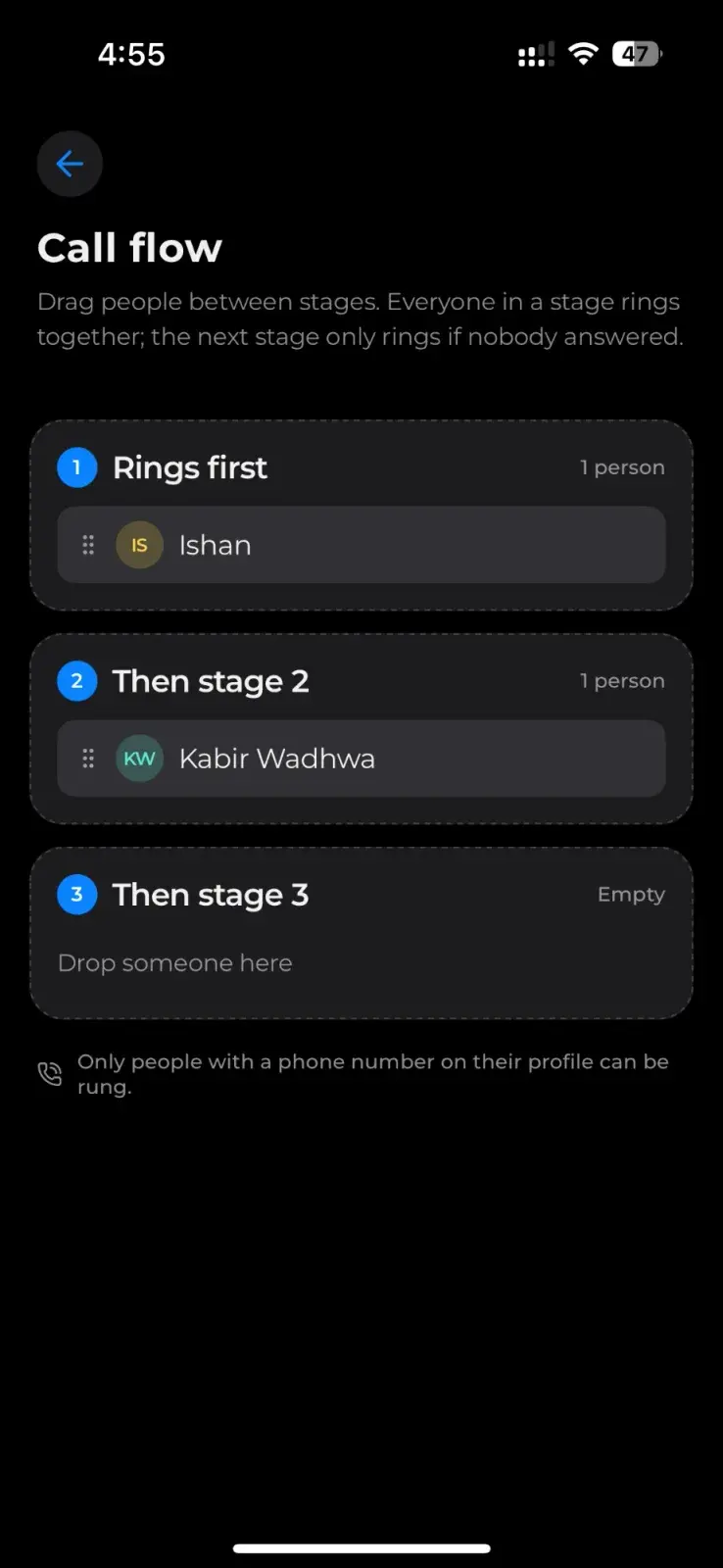
- Up to five stages. Enough to cover a front desk, a sales team, a manager and an owner.
- Ring time per stage from 5 to 45 seconds. Short for a team that's usually at their desks; longer for people in the field.
- A total ring budget of about 55 seconds. After that the caller reaches voicemail instead of listening to a phone ring forever.
- Only people with a phone number on their profile are rung. Add a teammate's number and they can be dragged into any stage.
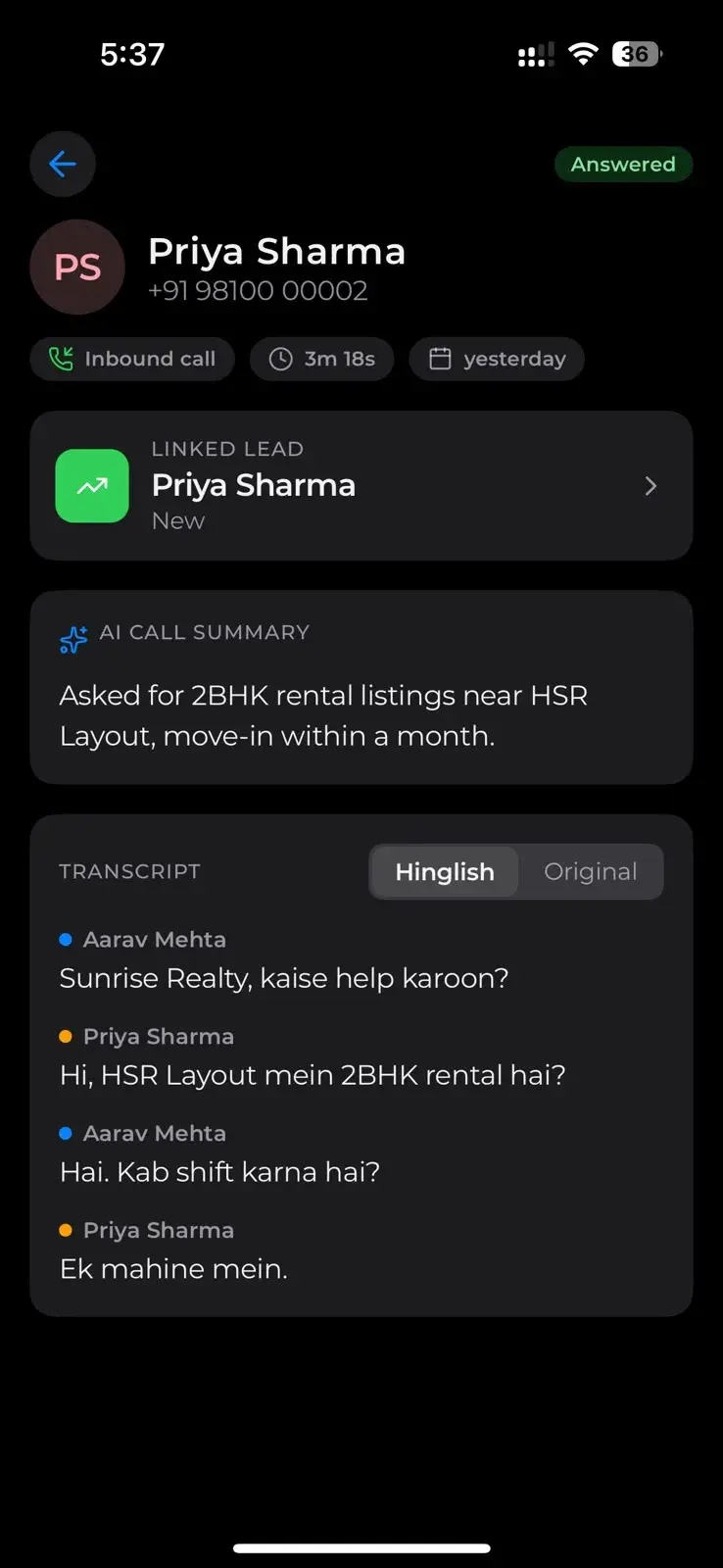
When a call does go unanswered after every stage, it isn't lost: the caller can leave a voicemail, which is transcribed, and a lead is created with a reminder to call back. More on that in how to turn missed calls into leads.
Which setup should your business use?
- Two or three people, anyone can sell: everyone in stage one.
- Owner-led business with helpers: the owner in stage one, staff in stage two — the owner gets first shot at every enquiry without it ever ringing out.
- Front desk plus specialists (clinics, coaching institutes, showrooms): reception in stage one, the sales or counselling team in stage two, the manager in stage three.
- Field-heavy teams (real estate, interiors, home services): the office in stage one with a short ring, field staff in stage two with a longer one, since they may be driving.
Do you still need an IVR?
Probably not. “Press 1 for sales, press 2 for support” makes sense when you have separate departments with separate people. For a small business it mostly adds a hurdle before the customer reaches a human — and a surprising number of callers hang up at the menu. A staged ring group gets them to a person faster, and the AI transcription means whoever answers doesn't need to route the call anywhere: the details are captured regardless.
The goal of call routing is simple: a customer who calls should talk to someone. Put the right people in the right order, cap how long anyone waits, and make sure the ones who still slip through come back as leads.
Frequently asked questions
- What is a ring group?
- A ring group is a set of phones that ring when one business number is called. Depending on the setup, they ring all at once, one after another, or in stages — and the first person to answer takes the call.
- What's the difference between parallel and sequential call routing?
- Parallel routing rings every phone in the group at the same time, so the fastest person answers. Sequential routing rings one person at a time for a fixed period before moving to the next. Staged routing combines them: groups ring in parallel, and the groups ring in sequence.
- How many ring stages can I set up in Ultraphone?
- Up to five. Each stage can hold several teammates who ring together, and each stage rings for between 5 and 45 seconds before the next one starts. After roughly 55 seconds in total the caller reaches voicemail.
- What happens if nobody in any stage answers?
- The caller reaches voicemail. Ultraphone transcribes the message and creates a lead with a callback reminder, so an unanswered call still lands in your inbox as something to act on.
- Do I need an IVR menu for a small business?
- Usually not. An IVR helps when separate departments handle separate kinds of calls. For most small teams, a staged ring group gets the caller to a person faster, with fewer hang-ups at a menu.